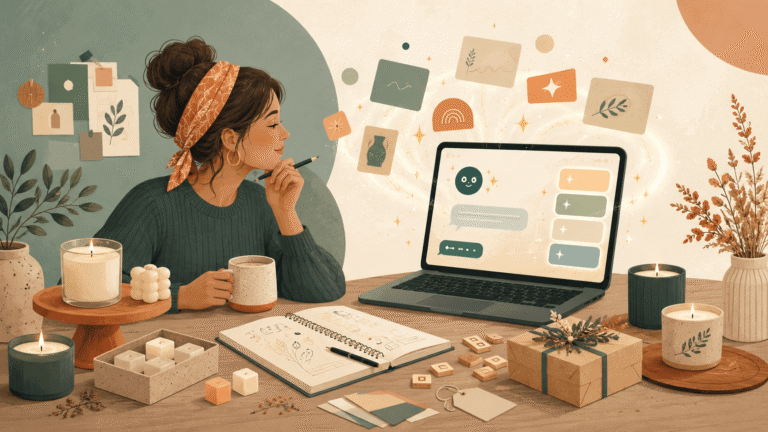
You can create a brand identity with AI by using tools like ChatGPT, Canva, and AI logo or brand kit generators to define your brand feeling, colours, fonts, logo direction, visual style, and tone of voice. Instead of starting with a random logo, AI helps you turn your business name into a simple brand identity that looks more consistent, professional, and easier for customers to remember.
Choosing a business name is a big step.
But once you finally have a name, another question appears very quickly.
What should your business actually look like?
You may start thinking about your logo first. Then your colours. Then your fonts. Then your Instagram posts, product labels, packaging, website banner, business cards, flyers, and everything else.
Suddenly, branding feels much bigger than you expected.
This is where many small business owners get stuck.
Not because they are not creative.
But because they are trying to make too many design decisions at once.
The good news is that AI can make the process much easier. It can help you explore ideas, organise your thoughts, choose a visual direction, and create a simple brand identity before you spend hours designing or paying for something that may not feel right.
This guide will show you how to create a brand identity with AI step by step, especially if you are a small business owner who is not technical and does not want to feel overwhelmed.
What Is a Brand Identity?
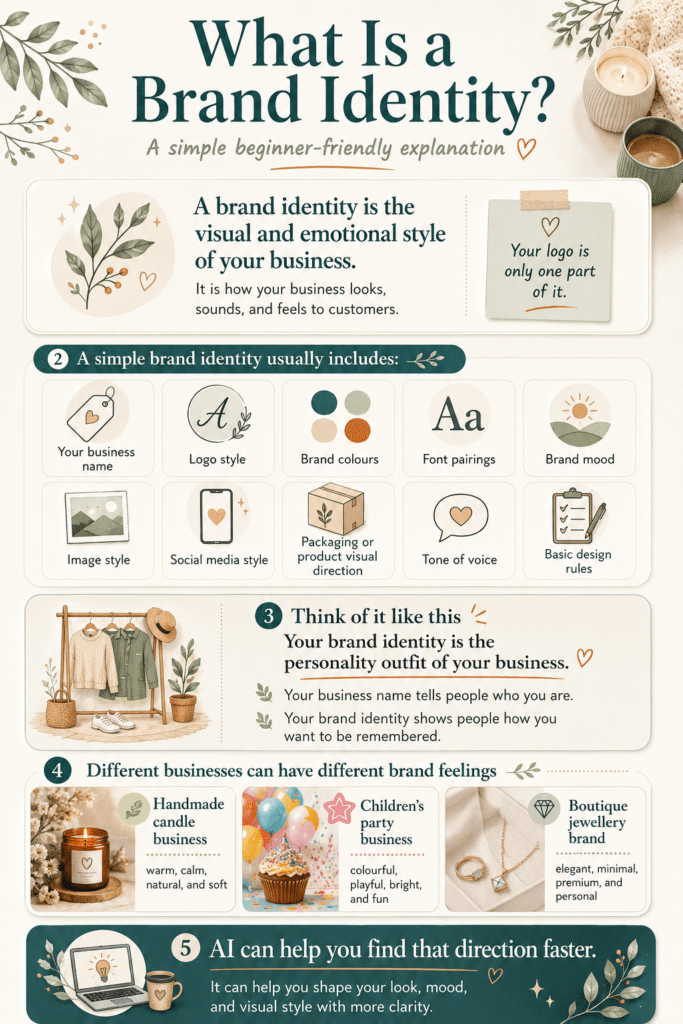
A brand identity is the visual and emotional style of your business.
It is how your business looks, sounds, and feels to customers.
Many beginners think brand identity means only a logo. But your logo is just one part of your brand.
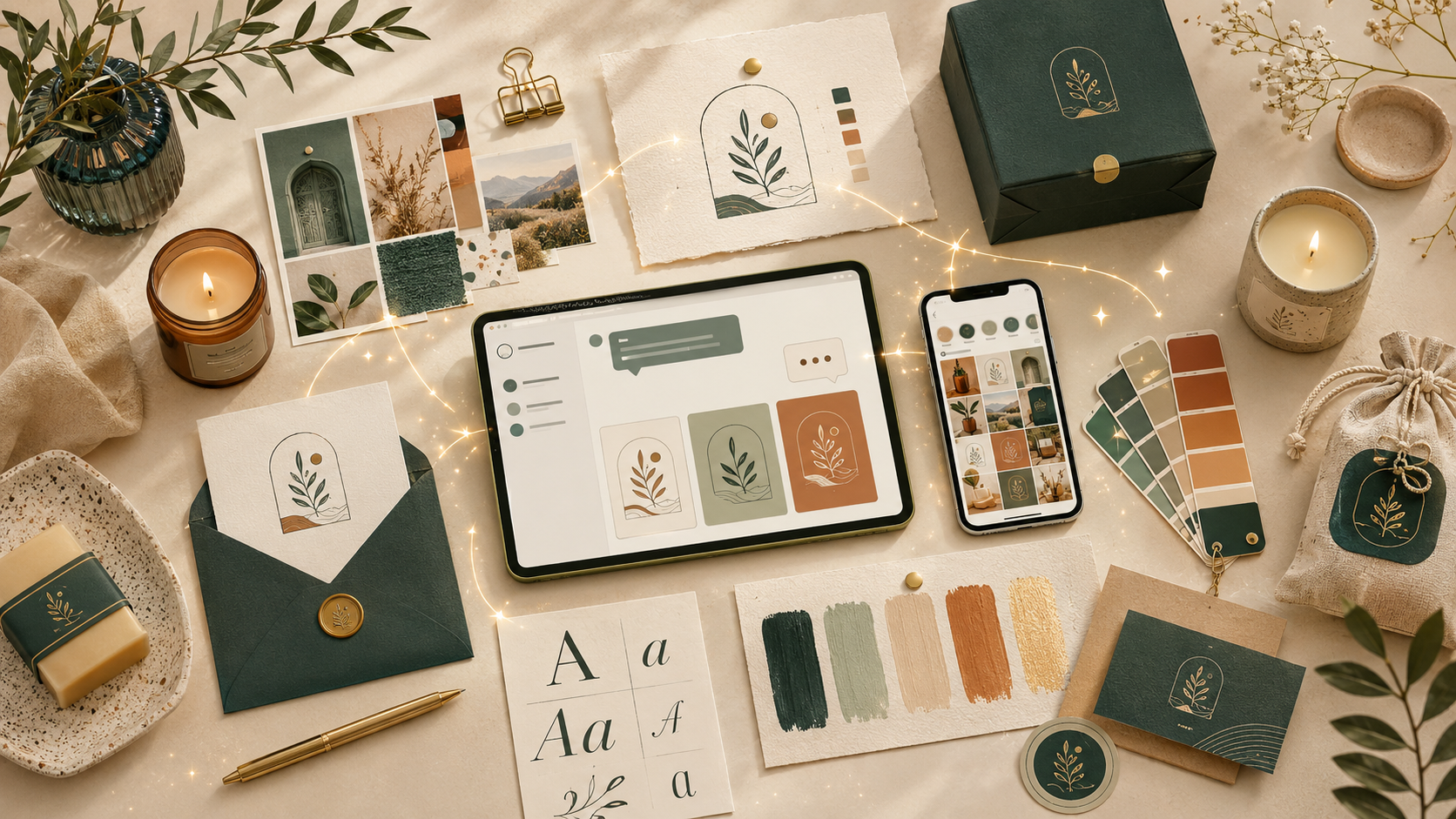
A simple brand identity usually includes:
- Your business name
- Logo style
- Brand colours
- Font pairings
- Brand mood
- Image style
- Social media style
- Packaging or product visual direction
- Tone of voice
- Basic design rules
Think of your brand identity as the “personality outfit” of your business.
Your business name tells people who you are.
Your brand identity shows people how you want to be remembered.
For example, a handmade candle business may want to feel warm, calm, natural, and soft.
A children’s party business may want to feel colourful, playful, bright, and fun.
A boutique jewellery brand may want to feel elegant, minimal, premium, and personal.
AI can help you find that direction faster.
Can AI Create a Brand Identity for a Small Business?
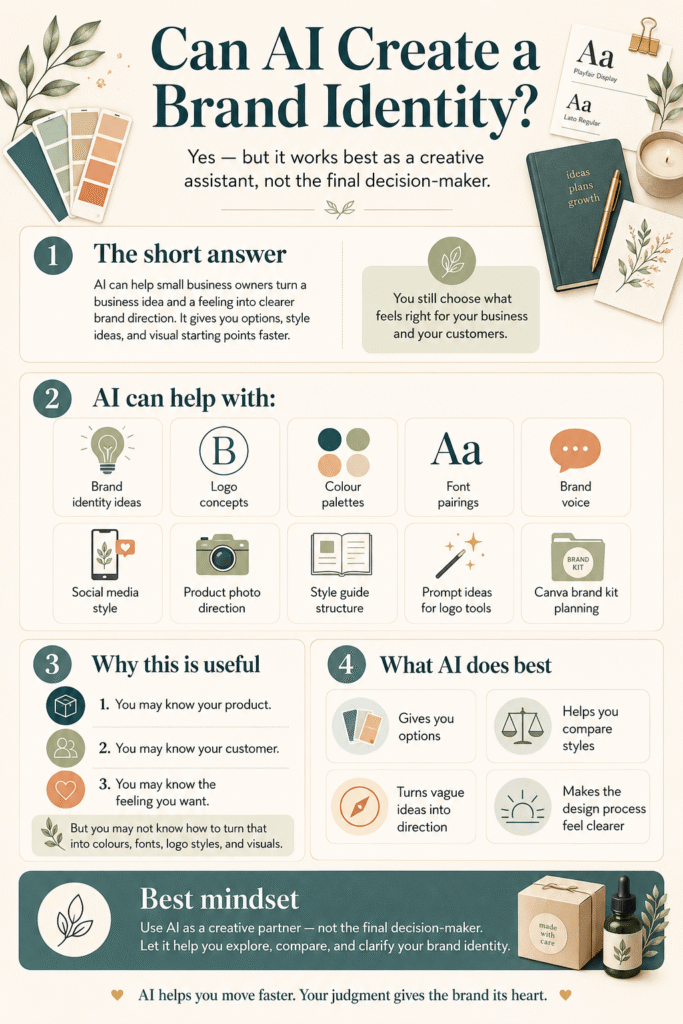
Yes, AI can help create a brand identity for a small business, but it works best when you use it as a creative assistant, not as the final decision-maker.
AI can help you with:
- Brand identity ideas
- Logo concepts
- Colour palette suggestions
- Font pairing ideas
- Brand voice
- Social media style
- Product photo direction
- Brand style guide structure
- Prompt ideas for AI logo generators
- Canva brand kit planning
This is useful because small business owners often have the business idea but not the design language.
You may know your product.
You may know your customer.
You may know the feeling you want.
But you may not know how to turn that feeling into colours, fonts, logo styles, and visuals.
That is where AI becomes helpful.
It gives you options.
It helps you compare styles.
It turns vague thoughts into a clearer brand direction.
But you still need to choose what feels right for your business and your customers.
Step 1: Start With Your Business Name
Before you design a logo, start with your business name.
Your name already gives clues about your brand identity.
For example, imagine a handmade candle business called:
Linen & Light
That name feels soft, calm, natural, warm, and simple.
So the logo and branding should probably not feel loud, neon, futuristic, or aggressive.
The visual style should support the feeling of the name.
This is a common mistake many beginners make.
They choose a name with one feeling, then create a logo with a completely different feeling.
A soft handmade brand gets a harsh tech-style logo.
A premium service business gets a playful cartoon font.
A fun kids brand gets colours that feel too serious.
A natural skincare brand gets visuals that look too corporate.
The result feels confusing.
AI can help you avoid this by analysing the feeling behind your business name before you start designing.
AI Prompt to Try
Copy and paste this into ChatGPT:
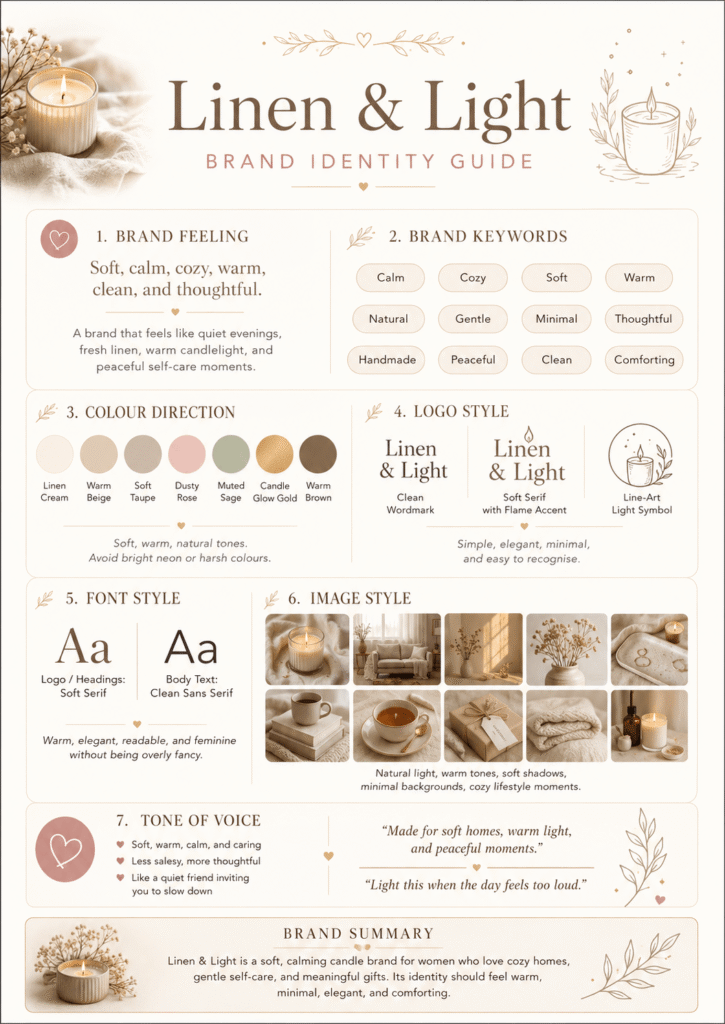
I have chosen this business name: [insert business name]. My business sells: [insert product or service]. My target customers are: [describe your customers]. Help me understand what kind of brand identity would suit this name. Give me: – brand feeling – brand keywords – colour direction – logo style – font style – image style – tone of voice Keep it simple and beginner-friendly.
Step 2: Define Your Brand Feeling
Your brand feeling is the emotion people should get when they see your business.
This matters because customers often decide quickly.
They may not read your full About page.
They may not study every product detail.
They may simply see your logo, colours, product photo, Instagram post, or website banner and think:
This feels right for me.
Or:
This does not look like my style.
That first feeling is part of your brand identity.
For a small creative business, your brand feeling could be:
- Calm and natural
- Fun and playful
- Elegant and premium
- Friendly and handmade
- Bold and modern
- Warm and personal
- Soft and feminine
- Bright and energetic
- Minimal and clean
- Rustic and earthy
- Artistic and expressive
- Luxury and refined
Do not choose too many.
Pick three to five words.
For example:
Linen & Light
Brand feeling: calm, warm, natural, handmade, simple.
That is enough to guide the rest of the brand.
Your colours should match those words.
Your fonts should match those words.
Your logo should match those words.
Your product photos should match those words.
Your social media posts should match those words.
This is how a brand starts to feel consistent.
AI Prompt to Try
Based on my business name [insert name] and my business type [insert type], give me 10 possible brand feeling directions. For each direction, include: – 3 to 5 brand keywords – the type of customer it would attract – the visual style it would suit Then recommend the best direction for a beginner-friendly small business brand.
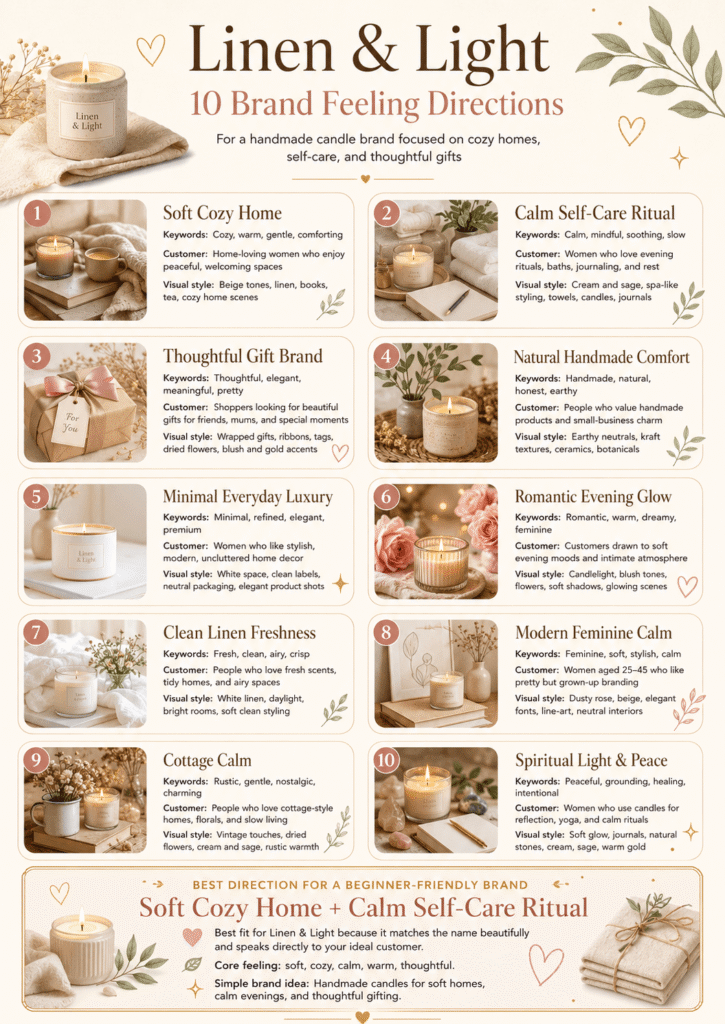
That is a much better place to start.
Step 3: Create a Simple Colour Palette With AI
A colour palette is a small set of colours your brand uses again and again.
You do not need ten colours.
You only need a few colours that work well together.
For a beginner brand identity, start with four colours:
- Main brand colour
- Accent colour
- Background colour
- Text colour
For example, a calm handmade candle brand might use:
- Warm beige
- Soft cream
- Muted clay
- Deep charcoal
A playful kids brand might use:
- Warm yellow
- Soft blue
- Coral pink
- Dark navy
A premium jewellery brand might use:
- Ivory
- Champagne gold
- Soft grey
- Deep black
The goal is not only to choose colours you personally like.
The goal is to choose colours that match your brand feeling and customer expectation.
If your brand should feel calm, your colours should not feel chaotic.
If your brand should feel premium, your colours should not look cheap or random.
If your brand should feel fun, your colours should not feel too dull or corporate.
AI can help you create a colour palette quickly, but you should always check if the colours feel right for your customer.
AI Prompt to Try
Create a simple colour palette for my small business brand. Business name: [insert name] Business type: [insert type] Brand keywords: [insert keywords] Target customers: [insert audience] Give me 4 colours: – main colour – accent colour – background colour – text colour Include hex codes I can use in Canva. Explain why each colour suits the brand.
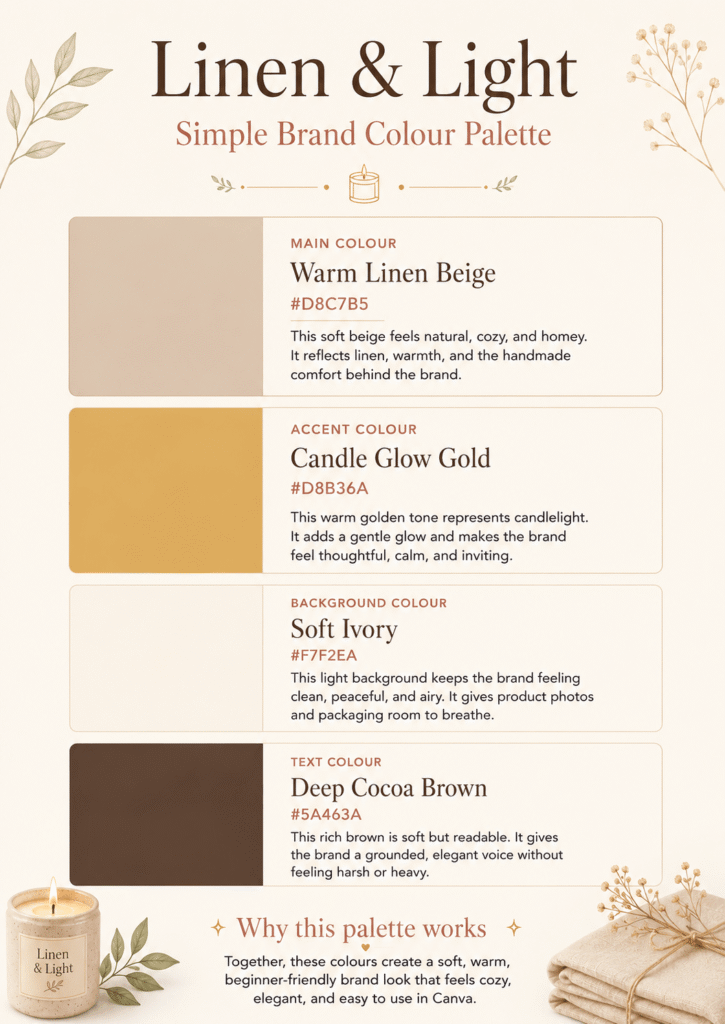
Do not stop at the first palette.
Ask AI for a few different options.
Try this:
Give me 3 different colour palette options for this brand: 1. soft and calm 2. premium and elegant 3. modern and fresh Include hex codes and explain which one is best for my target customer.
This gives you choices instead of one random answer.
Step 4: Choose Your Font Style
Fonts change the personality of your brand.
The same business name can feel very different depending on the font.
A thin elegant font can feel premium.
A rounded font can feel friendly.
A handwritten font can feel handmade.
A bold font can feel confident.
A clean sans serif font can feel modern and simple.
You do not need to become a typography expert.
You only need to choose a direction.
For beginners, think in simple font styles:
- Elegant
- Playful
- Handmade
- Modern
- Minimal
- Bold
- Soft
- Luxury
- Friendly
- Vintage
For most small businesses, two fonts are enough:
- One font for headings
- One font for body text
Too many fonts can make your brand look messy.
A simple font pairing makes your brand easier to use across your website, social media graphics, packaging, flyers, and business cards.
AI Prompt to Try
Suggest font pairings for my small business brand. Business name: [insert name] Brand keywords: [insert keywords] Colour palette: [insert colours] Where I will use the fonts: Canva, Instagram posts, flyers, product labels, and my website. Give me 5 beginner-friendly font pairing ideas. For each one, explain: – the feeling of the font pairing – what type of business it suits – when to use it
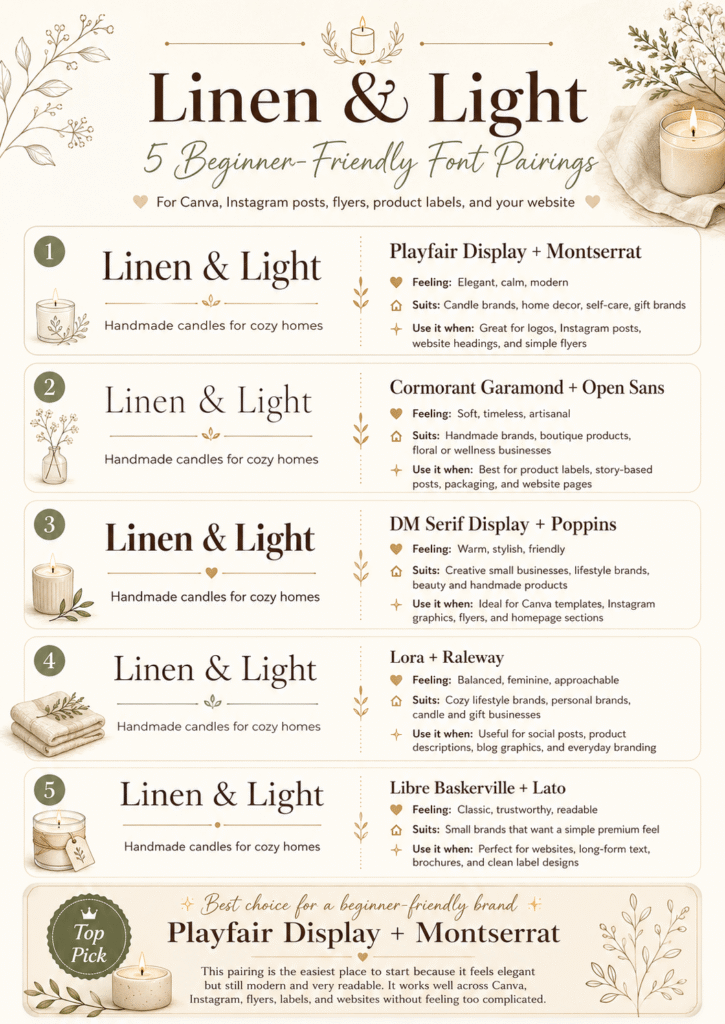
You can then search for those fonts inside Canva or choose similar ones.
The goal is consistency.
Use the same fonts again and again so your business starts to feel recognisable.
Step 5: Create Logo Ideas With AI
Now you can start thinking about your logo.
Notice the order.
You did not begin with the logo.
You first worked through:
- Business name
- Brand feeling
- Colour palette
- Font direction
This gives your logo a better foundation.
AI logo generators can create many logo ideas quickly, but the quality depends on the direction you give them.
If your prompt is too simple, the result may look generic.
For example:
Make a logo for a candle business.
That is too broad.
A better prompt would be:
Create a simple logo concept for a handmade candle brand called Linen & Light. The brand should feel calm, warm, natural, handmade, and minimal. Use soft neutral colours, elegant simple typography, and a subtle candle flame or linen-inspired shape. Avoid cartoon style, harsh colours, complicated details, and overly luxury symbols.
This gives the AI a much clearer direction.
You can use ChatGPT first to brainstorm logo ideas, then use a visual tool like Canva, Adobe Express, Ideogram, Midjourney, Leonardo, Looka, or another AI logo generator to explore visuals.
AI Prompt to Try
Create 10 logo concept ideas for my small business. Business name: [insert name] Business type: [insert type] Brand feeling: [insert keywords] Colour palette: [insert colours] Font style: [insert font direction] Give me a mix of: – wordmark logo ideas – icon logo ideas – badge logo ideas – simple symbol ideas Keep the ideas practical for a small business logo.
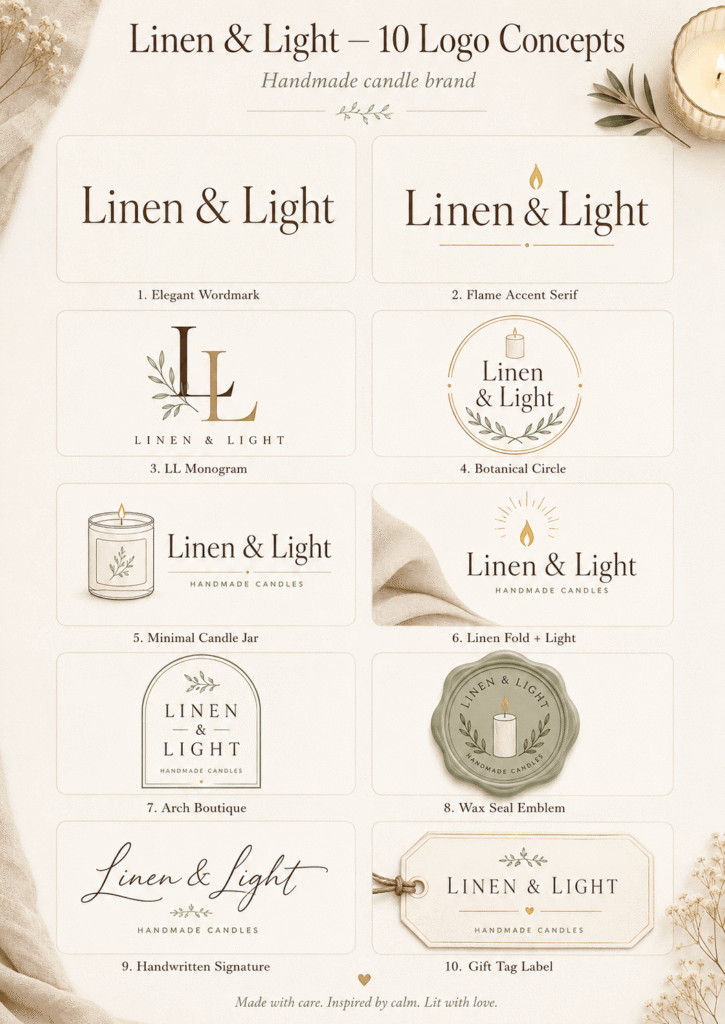
This is better than asking AI to create one final logo immediately.
First, explore the concepts.
Then choose the strongest direction.
Then create or refine the final logo.
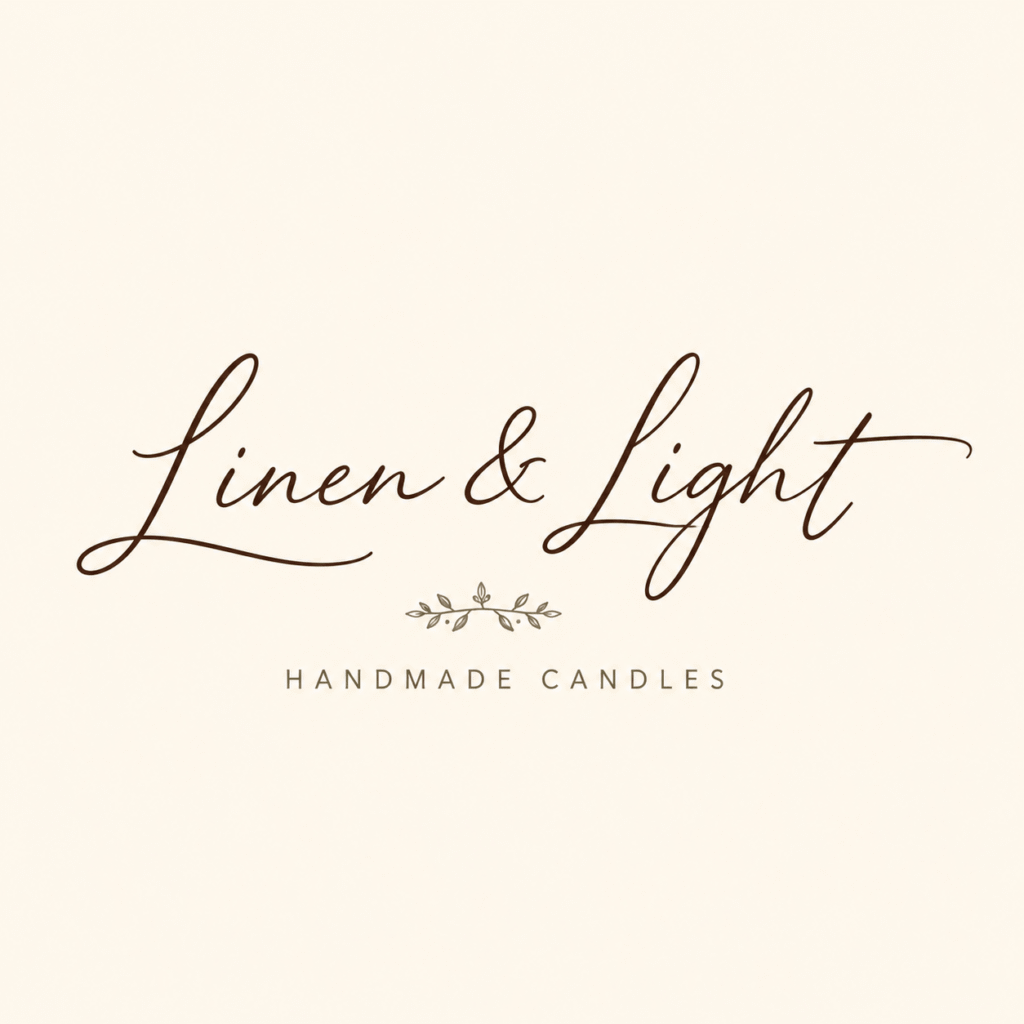
Step 6: Build a Simple AI Brand Kit
A brand kit is a collection of your basic brand elements in one place.
It usually includes:
- Logo
- Brand colours
- Fonts
- Brand images
- Social media templates
- Design rules
- Sometimes business cards, email signatures, and other marketing assets
Some AI brand kit generators can help create logos, colours, font pairings, and matching assets from a short description.
But even if you do not use a full AI brand kit generator, you can still create your own simple brand kit in Canva.
For a small business, your first brand kit does not need to be perfect.
It just needs to be useful.
Start with:
- One main logo
- One simple logo variation
- Four brand colours
- Two fonts
- Three to five brand keywords
- One image style
- One social media post style
This is enough to make your brand look more consistent.
AI Prompt to Try
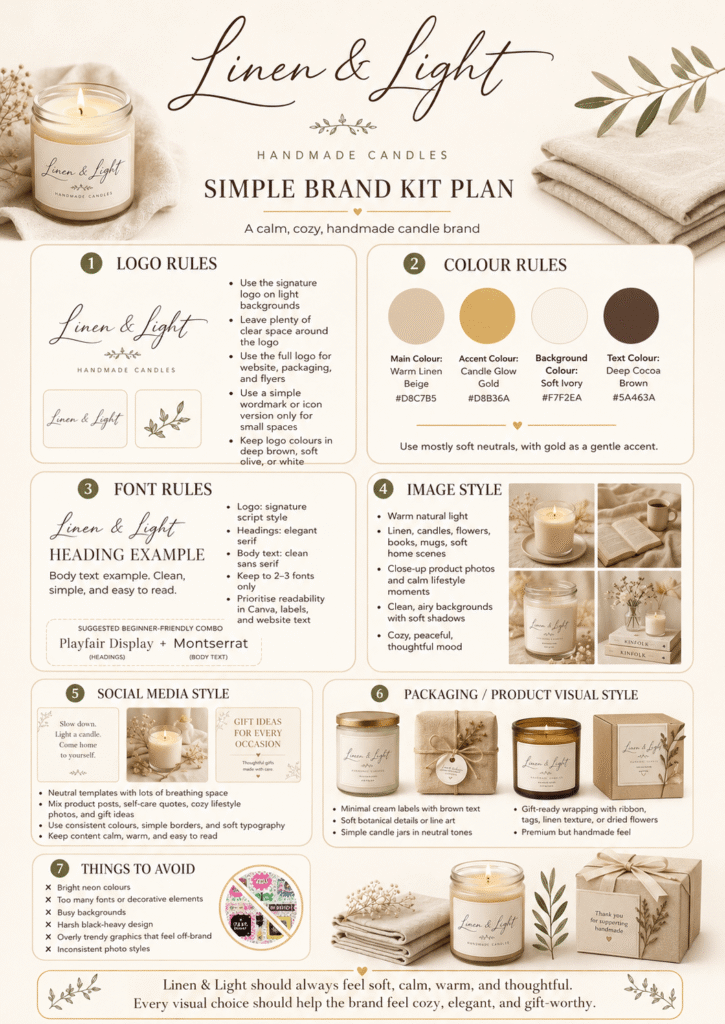
Create a simple brand kit plan for my small business. Business name: [insert name] Business type: [insert type] Brand keywords: [insert keywords] Colours: [insert colours] Fonts: [insert fonts] Logo direction: [insert logo idea] Organise it into: – logo rules – colour rules – font rules – image style – social media style – packaging or product visual style – things to avoid
This gives you a practical guide you can follow when creating designs.
Step 7: Check if Your Logo Actually Works
A logo is not good just because it looks nice.
A good small business logo should be useful in real places.
It should work on:
- Instagram profile picture
- Website header
- Product packaging
- Business card
- Thank-you card
- Market stall sign
- Invoice
- Sticker
- Email signature
- Social media templates
This is where many AI-generated logos fail.
They may look impressive as a large image, but they become unreadable when small.
Before choosing a logo, test it with simple questions.
Logo Check Questions
Ask yourself:
- Can I read the business name quickly?
- Does it match the brand feeling?
- Does it work in black and white?
- Does it still look clear when small?
- Is it too detailed?
- Does it look too similar to another brand?
- Would my target customer understand the feeling?
- Can I use it on social media, packaging, and my website?
AI Prompt to Try
Review this logo idea for my small business. My business name is: [insert name] My brand keywords are: [insert keywords] My target customer is: [insert customer] My logo style is: [describe logo] Tell me: – what works – what feels confusing – what could be improved – whether it works for Instagram, packaging, website, and small-size use – whether the logo matches the brand identity
Do not only ask AI, “Is this logo good?”
Ask specific questions.
That is how you get more useful feedback.
Step 8: Create a One-Page Brand Style Guide
Once you have your basic brand identity, put everything into one simple brand style guide.
This does not need to be fancy.
It can be a one-page Canva document.
Your brand style guide should include:
- Business name
- Short brand description
- Brand keywords
- Logo version
- Colour palette
- Font names
- Image style
- Social media style
- Brand voice
- Design rules
- Things to avoid
This helps you stay consistent.
It also saves time later.
When you create a flyer, Instagram post, website banner, product label, email header, or thank-you card, you do not have to rethink everything from zero.
You can simply follow your style guide.
AI Prompt to Try
Create a simple one-page brand style guide for my small business. Business name: [insert name] Business type: [insert type] Brand keywords: [insert keywords] Colours: [insert colours] Fonts: [insert fonts] Logo direction: [insert logo idea] Target customers: [insert audience] Include: – brand summary – logo style – colour palette – font rules – image style – social media style – tone of voice – design do’s and don’ts
This is one of the most useful things AI can do for small business branding.
It turns scattered ideas into a clear guide.
What Are the Best AI Tools for Creating a Brand Identity?
You can use different AI tools for different parts of your brand identity.
You do not need to use all of them.
For most beginners, a simple combination is enough.
ChatGPT
Use ChatGPT for brand strategy, brand feeling, colour ideas, font direction, logo prompts, brand voice, and style guide writing.
It is best for thinking and planning.
Canva
Use Canva for creating your actual brand board, logo layouts, social media templates, flyers, product labels, and simple brand kit.
It is best for building practical designs.
AI Logo Generators
Use AI logo generators to explore logo ideas quickly.
They are useful for inspiration, but you should still check readability, originality, and small-size use.
AI Image Generators
Use AI image generators to explore moodboards, product photo ideas, background styles, packaging concepts, and visual brand direction.
They are useful when you want to understand how your brand could look in real life.
The simple way to think about it is this:
Use ChatGPT to think.
Use Canva to organise.
Use AI logo and image tools to visualise.
Use your own judgement to choose.
Common Mistakes to Avoid When Creating a Brand Identity With AI
AI can help a lot, but it can also create messy results if you use it without direction.
Here are common mistakes to avoid.
Mistake 1: Starting With the Logo Too Early
Your logo should come after your brand feeling, colours, and font direction.
Otherwise, you may choose something that looks nice but does not match your business.
Mistake 2: Choosing Too Many Colours
Beginners often choose too many colours because every palette looks nice.
Start with four colours.
You can always expand later.
Mistake 3: Using Complicated Logo Details
Small business logos need to work at small sizes.
Avoid tiny details, too many effects, complicated illustrations, shadows, and messy symbols.
Simple is usually stronger.
Mistake 4: Copying Another Brand Too Closely
Use AI for inspiration, not copying.
Your brand should feel familiar enough for customers to understand, but different enough to be remembered.
Mistake 5: Trusting AI Without Your Own Judgement
AI can suggest ideas, but you are still the business owner.
You know your product, your customer, and your taste.
Use AI as a helper, not the final decision-maker.
Example: From Business Name to Brand Identity
Let’s use a fictional candle business.
Business name: Linen & Light
Business type: Handmade candles
Target customer: People who love calm home styling, soft scents, natural textures, and thoughtful gifts.
A simple AI brand identity could look like this:
Brand feeling: calm, warm, natural, handmade, soft
Colour palette: cream, warm beige, muted clay, charcoal
Font style: elegant serif for headings, clean sans serif for body text
Logo style: simple wordmark with a small flame or linen-inspired symbol
Image style: warm natural light, neutral backgrounds, soft shadows, calm home scenes
Brand voice: gentle, simple, warm, sensory
Avoid: neon colours, cartoon icons, harsh black backgrounds, overly luxury wording, and complicated logo details
Now the business already feels clearer.
The owner can use this direction for:
- Logo design
- Product labels
- Instagram posts
- Website colours
- Packaging
- Thank-you cards
- Product photography
- Market stall signage
That is the power of a brand identity.
It gives your small business a consistent look and feeling.
Final Thoughts
Creating a brand identity can feel intimidating when you are doing everything yourself.
But you do not need to build a perfect brand in one day.
Start simple.
Use AI to understand your business name.
Choose a few brand keywords.
Create a small colour palette.
Pick one or two fonts.
Explore logo ideas.
Test what works.
Then turn everything into a one-page brand style guide.
That is enough to give your small business a more professional and consistent look.
Your brand identity will grow over time.
But this gives you a clear beginning.
And sometimes, that is the hardest part.
Quick Recap: How to Create a Brand Identity With AI
To create a brand identity with AI for your small business:
- Start with your business name
- Define your brand feeling
- Create a simple colour palette
- Choose your font direction
- Create logo ideas with AI
- Build a simple AI brand kit
- Check if your logo works in real life
- Create a one-page brand style guide
You do not need to be a designer to start building a better-looking brand.
You just need a clear process.
And AI can help you take the first step.
Next Step
If you have not chosen your business name yet, start here:
How to Use AI to Find a Business Name for Your Creative Business
Once you have your name, come back to this guide and use AI to turn that name into a simple brand identity.
Your business does not need to look perfect from day one.
But it should start to feel clear, consistent, and easy to recognise.