
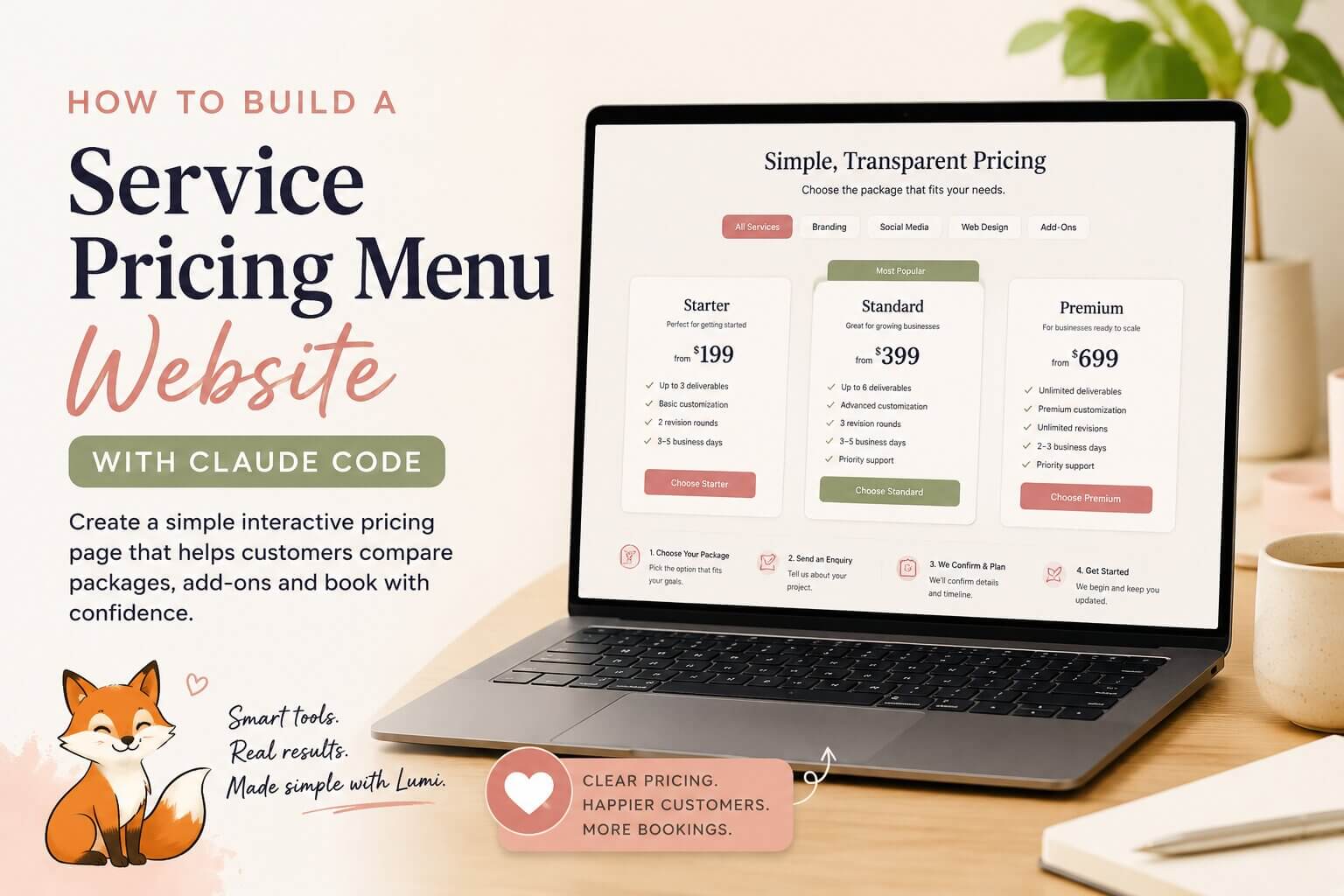
Vibe Coding · Pricing Page
Most service businesses send a PDF price list and hope for the best — then answer the same “how much?” message anyway. A service pricing menu website fixes that loop.
With Claude Code you can build one without being a developer. Describe what your business offers, ask Claude to structure the page, and build it step by step.
- 🧾 5 copy-paste prompts
- 🧩 One page, no backend
- 📱 Mobile-first & shareable
The customer reads your PDF, gets confused about which package fits them, and messages you the same question you just answered in the PDF. An interactive pricing page answers it before they ever message you.
What is a service pricing menu website?
It is a simple web page that shows your services, packages, prices, inclusions, add-ons, and booking steps. But unlike a PDF price list, it is interactive. A customer can compare packages, click between service categories, see what is included, add extras, check starting prices, understand who each package is for, and click a booking button.
Why it matters
Pricing is usually where customers go quiet. They like your service — they just do not know which option fits their situation. A clear pricing page answers that before they ever message you.
Who this works for
If people regularly message you asking “How much do you charge?”, this is worth building. It fits service businesses like:
- 💅 Beauty studios
- 👁 Lash artists
- 📷 Photographers
- 🧹 Cleaners
- 🎯 Coaches
- 💻 Freelancers
- 📱 Social media managers
- 💼 Virtual assistants
- 🎨 Designers
- 🐾 Pet groomers
- 📚 Tutors
- 🌿 Wellness creators
- 📍 Local service providers
Why a website instead of a Canva pricing menu?
A Canva pricing graphic works well for Instagram and print. But a small pricing website can guide the customer through a decision.
🖼 Canva graphic / PDF
- Everything crammed into one image
- No way to compare side by side
- Static — can’t filter by service
- No booking steps or next action
🔗 Pricing menu website
- Separate tabs per service type
- Compare packages at a glance
- Add-ons & price estimate built in
- One clear booking button
A cleaning business can have separate buttons for regular cleaning, deep cleaning, end-of-lease cleaning, and add-ons. A photographer can use tabs for family shoots, branding shoots, events, and mini sessions. A coach can show a one-off session, monthly support, a group program, and a VIP package.
Instead of cramming everything into one graphic, the page lets the customer explore at their own pace. That is the real difference. You are not building a complicated app — you are turning a repeated pricing conversation into one page your customers can use anytime.
What to build with Claude Code
Build a simple one-page interactive pricing website. Keep the first version focused — you do not need login, payment processing, customer accounts, or a backend. Start with a clean static page. The page can include:
- a business name and short intro
- service category buttons or tabs
- package cards with starting price labels
- best-for notes & what’s included
- optional add-ons
- a simple price estimate section
- booking steps
- a FAQ section
- a contact or booking button
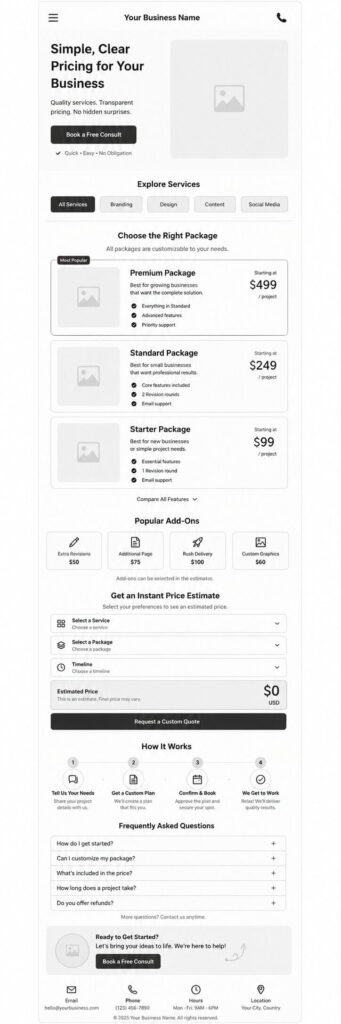
A beginner-friendly page structure
Hero section
One or two lines that explain what you offer, followed by one clear button.
Simple pricing for calm, professional home cleaning services in Sydney.
Button: View Packages
Service category section
Buttons or tabs let the customer choose which service they need.
- Standard Clean
- Deep Clean
- Move-Out Clean
- Add-Ons
Package cards
Each card should be easy to scan and compare. Include a package name, starting price, short description, best-for note, what is included, estimated time, and a call-to-action button.
You can use names like Starter, Standard, Premium — or go niche-specific: Quick Refresh, Full Reset, Deep Detail.
Add-on section
Add-ons let you show extras without cluttering the main packages.
- + Extra room
- + Oven cleaning
- + Product styling
- + Extra edited photos
- + Rush delivery
- + Strategy call
- + Extra revision
Package helper section
This is where the page does more than a PDF ever could. Add a short section that helps the customer decide by asking a few quick questions:
- Do you need a one-time service or ongoing support?
- Do you need basic help or full setup?
- Do you want the fastest option or the most complete one?
Then suggest a package based on their answers. It does not need to be a perfect quiz — it just needs to make the next step obvious.
Booking steps
Most service businesses skip this part. After someone reads the price, they need to know what happens next.
- Choose your package
- Send an enquiry
- We confirm details and availability
- You receive a quote or booking link
- Your service is booked
This cuts the back-and-forth.
FAQ section
Include the questions people ask before they commit:
- Are prices fixed or starting from?
- Do I need a deposit?
- Can I customize a package?
- How long does the service take?
- How do I book?
- What happens after I enquire?
Claude Code workflow
- Step 1 — Write your real services first.
Before you open Claude Code, write your services in plain English: what you offer, your packages, starting prices, inclusions, add-ons, common questions, and how people book. If you only say “make me a pricing website,” the result will be generic. - Step 2 — Ask Claude to organize your pricing.
Use Claude as a business organizer first, not a coder. Ask it to turn your rough service list into a clear pricing structure. - Step 3 — Turn the structure into a page plan.
Once the content is clear, ask Claude to lay out the website: sections, order, and what each section needs to do. - Step 4 — Build the first version.
Ask Claude Code to build a simple responsive one-page website using HTML, CSS, and JavaScript. Get a clean working page first — no advanced features yet. - Step 5 — Add small interactive features.
Once the basic page works, add one or two useful interactions: package tabs, add-on checkboxes, a simple estimated total, a best-package helper, an expandable FAQ, a WhatsApp or email booking button. - Step 6 — Test it as a customer.
Open the page on your phone: Can I understand the packages quickly? Is the starting price easy to find? Do I know what’s included and what to do next? Is the booking button easy to spot? A pricing page doesn’t need to be clever — it needs to be clear.
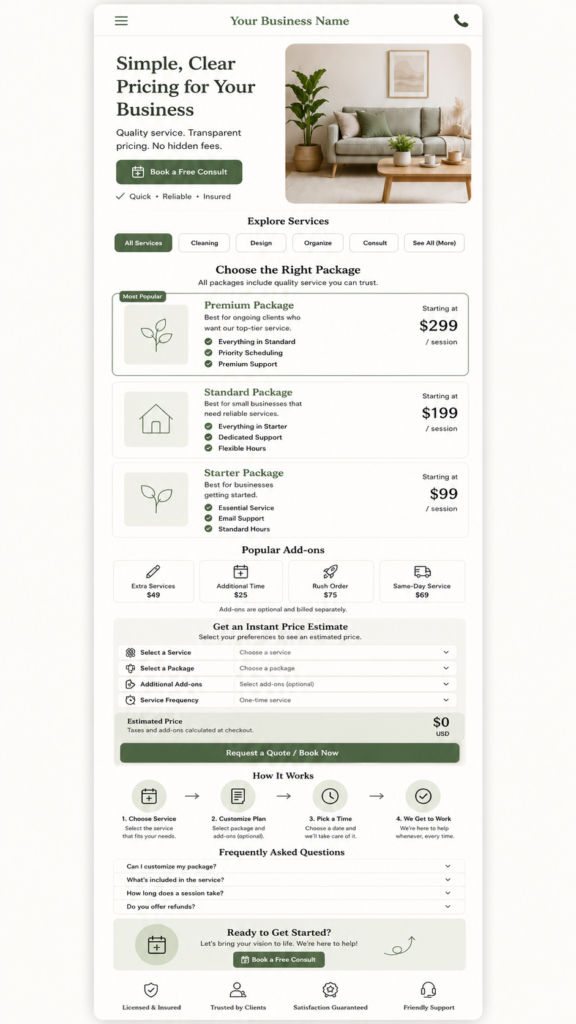
Five prompts to use inside Claude Code
Copy these in order — each has a one-click Copy button.
A real example: home cleaning business
Say you run a small home cleaning business in Sydney. Here is what a pricing page could look like.
Service categories:
- Regular Cleaning
- Deep Cleaning
- End-of-Lease Cleaning
- Add-Ons
Quick Refresh
Starting from
$120
Best for small homes that need light regular cleaning.
- Light regular clean
- Kitchen & bathrooms
- Floors & surfaces
Standard Clean
Starting from
$180
Best for busy households that need a proper weekly or fortnightly clean.
- Full home clean
- Kitchen, bath & bedrooms
- Weekly or fortnightly
Deep Reset
Starting from
$320
Best for detailed cleaning before guests, inspections, or a seasonal reset.
- Detailed deep clean
- Inside & hard-to-reach areas
- Pre-event / inspection ready
Add-ons:
- + Oven cleaning
- + Inside fridge
- + Window cleaning
- + Extra bathroom
- + Laundry folding
Booking CTA
“Send an enquiry for an exact quote.” That works better than one long list of prices, because the customer can quickly spot which option fits their home.
How to launch it
- Write your services and prices in plain English.
- Ask Claude to organize them into packages.
- Ask Claude Code to build a simple one-page pricing website.
- Add package tabs, add-on checkboxes, and a booking button.
- Test the page on your phone.
- Share the link.
Instagram bio, Facebook page, Google Business Profile, email signature, and customer messages. - Update it when the same customer questions come up.
The simple idea here
Turn the pricing explanation you repeat every week into one clear page that works while you are doing other things.
You are not building a fancy app. You are taking a repeated conversation and turning it into one interactive page your customers can use anytime — so they compare packages, understand add-ons, and know exactly how to book.
Ready to build?
Stop re-sending the price list
Write your services in plain English, organize them with Claude, then build one clear pricing page with the five prompts above.
Frequently asked questions
Quick answers before you build your service pricing menu website.
Do I need coding skills to build a pricing website with Claude Code?
No. You describe your services, packages, and prices in plain English, and Claude Code writes the HTML, CSS, and JavaScript for you. Your job is to give it real business details and test the result on your phone.
Should I show exact prices or “starting from” prices?
For most service businesses, “starting from” prices work best because every job is slightly different. Show a clear starting price on each package and use a booking enquiry to confirm the exact quote.
Do I need a backend or payment system for version one?
No. Start with a clean static one-page site — no login, accounts, backend, or payment processing. Use a simple mailto or WhatsApp booking button. You can always add more later if you actually need it.
Can I use this for any service business?
Yes. It suits beauty studios, lash artists, photographers, cleaners, coaches, freelancers, social media managers, virtual assistants, designers, pet groomers, tutors, and most local service providers. Just adapt the package names, add-ons, and FAQs to your niche.